Phone Apps
With GMB, you needed to download the Google My Business app from the Google Play or Apple App stores. The app has been around since 2014, so you may have gotten quite used to using it! The app allowed you to manage multiple listings all from your phone.
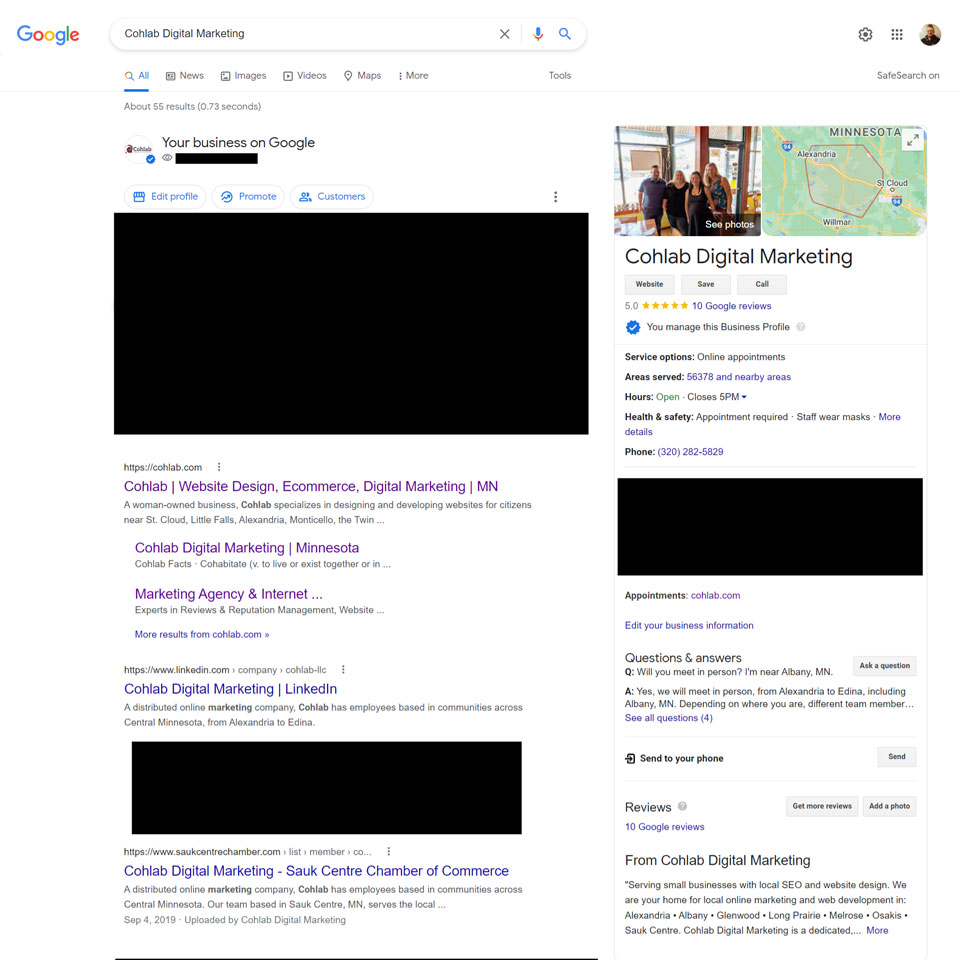
Google now wants you to manage your listing without the app – right in Google Search or Google Maps if you have a single listing. If you have multiple listings, they’re going to encourage you to use the desktop backend interface at business.google.com, now called Google Business Profile Manager.
Managing Listing Via Desktop
If you’ve already been managing one listing or multiple listings at business.google.com, you can continue to do so. But you’ll also have a greater ability to edit your listing right within the results of Google Search or Google Maps. They say with GBP, you’ll be able to make much more detailed changes, as long as you’re logged into the owner/manager account.
New Features
Chat
You may or may not already have Chat set up on your GBP. Users will, once you enable it, be able to click “Chat” or “Message” on your GBP and be able to send you a direct message. You’ll be able to respond to this message via the Desktop backend at business.google.com. The potential customer will need to keep the window open or be logged in and have the Google Maps app on their phone to be able to see your response.
This is not our favorite feature, but it could be useful for certain businesses.
Insights
Google is also changing how Insights (kind of like Analytics but only for your GBP) are displayed. We like the new way the Insights are displayed, and you are able to see more data now – 6 months, rather than only up to 3 months for the original data display in GMB.




 Cohlab Digital Marketing
 Image(s) licensed by Ingram Image