
How A Responsive Web Design Firm Improves Your Search Ranking

A web design firm, especially a responsive web design firm, can help your business in a lot of ways, from helping choose fonts and colors, to organizing your menus and content.

But certain things a responsive web design firm does have a huge impact on your search rankings. So when you are choosing a new designer, make sure they can help you out in the following ways.

How Does A Responsive Web Design Firm Increase My Ranking?Rankings

Speed

Studies show that if a website takes more than 3 seconds to load, 57% of your visitors will move on. Those users either close the window, frustrated, or hit the back button, looking for a different, faster answer or result.

As a business owner, you want to serve your customers well. If the doors to your business had a 3 second wait before opening, you’d probably have a lot fewer walk-ins. The only people who would come in are those who are already determined to buy something; it would be hard to get new business.

Check with your web design firm and make sure the speed of your website is up to par.

Future Proofing

A responsive website design effectively “future proofs” your site. Whether someone comes to your website on a desktop, iPhone, laptop, tablet or any other device, your website should automatically adjust to properly fit the screen your visitor is using.

This responsiveness is not “set in stone;” in fact, it’s the opposite. No matter what type of device your website is seen on, even a device which has not been manufactured yet, your website should adjust in size appropriately.

Most Google searches and browsing time is now done on mobile devices, so having a responsive website for the many sizes of screens out there is important so you don’t exclude any potential customers.

Clicks Beget Clicks

Having a responsive website design which is also fast will help improve your rankings, which means more people will be able to visit your site. Those visitors will have a better experience, staying on your website longer and possibly sharing or linking to your content or merchandise. This will also improve your ranking!

Having a responsive website with a good rank is very important, because 95% of people do not go past the first page of search results, and 60% of clicks happen within the top three search results.

“Cohlaboration” With Cohlab

At Cohlab, we have worked closely with many businesses to help them achieve great success in their responsive web design efforts. We are happy to answer any questions you may have and provide Cohlaborative digital marketing solutions to meet your company’s needs.

3 Bold Lies: You Get What You Pay For With SEO Prices

When you are unfamiliar with search engine optimization (SEO), the pricing structure can seem arbitrary. Even though it can be difficult to understand without experience, be wary of firms who seem to promise something which doesn’t quite seem right or possible at all, or at least given their SEO prices, because you get what you pay for. Let’s go over 3 bold lies told about SEO ‘black hat’ firms tell to watch out for.

1. “We Can Make Your Website Rank #1 On Google.”Organic Local Search on Google

What a load of hooey! No honest SEO firm can guarantee your website will rank #1 on any search engine, no matter the price. Google’s webmaster guidelines state very clearly to be wary of firms and consulting agencies which guarantee a #1 ranking on Google.

While everyone would love to rank first, it is simply never guaranteed and never should be. In fact, reputable companies will admit outright they can’t guarantee results.

2. “We Can Fix Your SEO In 1 Month.”

The Internet is a living, breathing beast. Change is constant, with websites moving up and down in search engine rankings as users find value in their information or layout.

SEO requires constant monitoring and adjustments to strategy based on Google’s ever-changing algorithms as well as the changing needs of your customers. A firm’s first obligation is to make your online presence useful to customers and second to improve your alignment with Google’s algorithm. Search engine optimization does not happen in a vacuum; your competitors are also constantly working and improving which can place them above you in search results if you don’t keep up.

One month is a completely unrealistic timeframe to work on an SEO campaign for two reasons: 1. If you stop working on it after 1 month, you will fall behind; and, 2. One month is simply not enough time to have any sort of impact. Most work done needs 3-6 months before results can be seen. No amount of money can create long-lasting, effective search engine rankings in 1 month.

You need a firm who can work with your company for the foreseeable future and make recommendations and improvements as you go.

3. “We Use Foreign Contractors To Save You Money.”Money

While this one might not technically be a lie, it is still a terrible tactic for a good search engine optimization firm to pursue.

Yes, using foreign workers may save money in the short-run, but the quality is going to be much lower. Google’s rules change quickly and are intricate. Experience in the field as well as a strong grasp of the language surrounding SEO are paramount to executing a strategy.

You get what you pay for, and often outdated tactics will get your website penalized in the rankings by Google.

You Get What You Pay For With SEO Prices

When hiring a firm, do your homework. The second you hear one of these lies, or feel their SEO prices don’t match their promises, it’s time to start looking at other options.

Always be sure to check out a firm’s website and reviews to make sure they can do the things you are looking for.

Cohlab Digital Marketing has great reviews and tons of information about search engine optimization. If you’d like to learn about our pricing, let us know.

A Responsive Web Design Company Gets You Results

You’ve probably seen it before. You’ll search for something online on your mobile phone, click on the result and be taken to a website which is hard to navigate. You can’t find what you want, or you have to pinch-zoom in to read anything, or it’s one of those mobile-specific websites and it doesn’t have the content you were actually looking for.

A company which designs responsive websites will help you build the website your customers are looking for, including consistent and usable website appearance across multiple platforms as well as higher ranking in search engines.

What Is Responsive Web Design, Really?

Mobile First

Responsive web design starts with considering the mobile display as the primary way people view your website. More people now use mobile phones to browse the internet than desktops so it makes sense to design for mobile first.

The site should be functional but uncluttered so when it responds to a mobile device the branding is not lost in the process. This allows mobile users to load your website faster and find what they need quicker.

Fluidity

So you know you should build your website as optimized for mobile, but which mobile device should it be designed for? The answer is: none of them.

“When you pour water in a cup, it becomes the cup.                                                                                  

When you pour water in a bottle, it becomes the bottle.                                                                          

When you pour water in a teapot, it becomes the teapot . . .                                                                       

Become like water my friend.”                                                                                                                                      

– Bruce Lee

Your website should be fluid. As we said earlier, decluttering your web design while maintaining functionality is key, which means your website should have a focused and concise message. This helps mobile devices load the website faster and it makes your website leaner and meaner on a desktop as well. The end result is an experience focused on the key tasks a user wants to accomplish, which is good for the user and good for your business.

A Responsive Web Design Company Gets You Results

You now have a website which flows like water into any device which views it, responds quickly and is focused on your core message. How does this get results for your company?

  • Cost effectiveness: Responsive web design makes your website last longer so you don’t have to update it as often. And having one website rather than one mobile and another desktop site saves you money on hosting, support and maintenance fees.
  • Improved conversion: An optimized and consistent site, no matter which platform it’s viewed on, provides a better experience for the user which is more likely to lead to them engaging with you.
  • Future proofing: Responsive web design is a safe bet as it adapts to any device on the market, and any conceivable device which will come on the market in the future.
  • Search engine optimization: Managing search engine optimization (SEO) for separate mobile and desktop sites is time consuming, more expensive and doesn’t produce great results. Having one site to manage and optimize means you will rank higher.

“Cohlaboration” With Cohlab

At Cohlab, we have worked closely with many businesses to help them achieve great success in their responsive web design efforts. Our team can help you with your blog topics as well as provide you with comprehensive SEO and responsive web design services. We are happy to answer any questions you may have and provide Cohlaborative digital marketing solutions to meet your company’s needs.

Measuring Your Website Design ROI: Digital Marketing ROI Series

In this edition of our digital marketing ROI series, we are going to discuss techniques for measuring your website design return on investment (ROI). It is a well-known fact that a good website design is necessary for bringing in real profits for your online business. However, how do you measure returns for a website, especially if you are not running an e-commerce website? It is hard to measure the gains of a great website design into finite measurements such as profit margins, but it can be done.

Track Website Traffic and Length of Stay

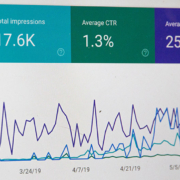
Use Google Webmaster Tools to track website traffic. This data can easily be accessed using your Google Analytics account. Calculate your monthly average visitors. An excellent website with useful information is almost guaranteed to bring in many visitors, and this is a great sign of positive returns. In addition to tracking the number of visitors to your website, you should track how long they stay on your website. If a visitor comes and leaves quickly, then something may be wrong. Perhaps your website is not providing the information they are looking for, or maybe your design is too complicated for the average user. Whatever it may be, look into it and try to correct it.

Tally Conversion Rates

How many of your monthly visitors are converted into leads? How many of them act on your website’s calls to action? Calls to action can be anything that encourages your visitors to interact with you, including newsletter signups, contact form submissions, eBook downloads, phone calls, and others. The higher your conversion rates, the more successful your design and its translation to positive returns.

Calculate Lead Closing Ratios

Depending on your business, high conversion rates is likely not the only thing you hope for from your website. How many of your website leads actually turn into sales? What is the closing ratio? It is one of the greatest measures of website design ROI. Divide your total sales with your complete proposals or inquiries to get a closing ratio. Take the closing rate and multiply it to your leads to get a total of your website generated events for that month. The higher the number of events, the better your returns.

Find Out Your Average Sales

With the total number of events, you can now calculate your average revenue. Take the total number of sales on your website and divide it by the total number of website events to get your average sales.

Deduct Total Average Revenue per Month with Expenses

Websites are an investment, and like any business investment they have expenses. Apart from hosting fees, you may also need to pay for ads, SEO campaigns, social media marketing, paid searches, and more, to attract visitors. These digital marketing campaigns cost time and money. It is essential to deduct your revenue from your expenses to learn what your real returns are. If your returns are too low, then you probably need to reconsider your website presence, beginning with your website design.

At Cohlab, we fully understand the importance of knowing your website design ROI. That is why we do take the time to ensure you understand both the tangible and intangible results of your digital marketing efforts. We “cohlaborate” with you on proving out your marketing ROI, and our strategy has been greatly successful for digital marketing clients. Use our complimentary Digital Marketing Scorecard to gain valuable insight on how your website rank compares to others. Our team would love to speak with you and answer any questions you may have. Our mission is to provide you with Cohlaborative digital marketing solutions to meet your organization’s needs.

The Definition of a WordPress Core: Why Maintenance and Updates Are Crucial

A core is defined as the central, or most important part of something. Your WordPress core does not deviate from this. It is the central and most important aspect of your website. That is the reason that maintenance and updating of your core are so crucial. As the center of your site, WordPress unveils updates for critical reasons. Failing to remain up to date with these changes can lead to serious issues with the security, reliability, and functionality of your website. Updating should become a regular routine that is strictly adhered to. You can bet that if your WordPress core requires updating, it was done to protect, or enhance the experience of your visitors.

Update Types

WordPress releases updates of three different types, for three different purposes. The first type of update is security updates. These updates are usually small scale repairs issued periodically to correct any freshly discovered vulnerabilities. They do not include any features or significant changes to the WordPress Core. Security updates ensure that your website is safer from the attacks by hackers. The second type of update is slightly more involved. They are called patch updates, and though they also do not include any features, they are an update to your core, and may even include security patches within them. These are generally released on a more scheduled basis. Finally, major releases are the third type of update. These are the updates that add features or change the functionality of your core. Typically, it is major releases that most avoid because they do have the potential to cause site issues. However, it is always wise to back up your site before updating and ensures that if there is any problem, you are covered.

Managing WordPress Core Updates

Because updates are so important, managing them properly should be an ongoing task on your to-do list. There are automatic updates available. However this only applies to your core and will not handle updates for your plug-ins. Often, website owners will create a schedule or calendar to check their site for any updates available. This can be somewhat useful, but is still commonly overlooked. The best way to manage your updates is by investing in a maintenance service to take the burden off your shoulders completely. Not only will this remove one more thing from your list of tasks, but providers of this service often provide a number of other significant benefits such as automatic backups and SEO strategies.

In the end, how you choose to manage your updates is a decision that you must make alone. If you are tech savvy and well organized, the process may be manageable. However most have found that automating the process and taking advantage of other excellent and valuable services provided by a professional SEO and web development firm is a worthy investment. Cohlab offers WordPress Maintenance and Support Services that not only ensure that your CMS and plug-ins are always up-to-date, but also provides other great services including 24/7 security monitoring, secure offsite backups, and many more. These packages are a great way to make sure your website is in tip-top shape at an affordable price far less than what your valuable time is worth. Check out our packages and let Cohlab take the worry and burden off your shoulders.

Wondering how you are doing? Use our complimentary Digital Marketing Scorecard to gain valuable insight on how your website rank compares to others. We are also glad to answer any questions you may have and provide Cohlaborative digital marketing solutions to meet your company’s needs.

Maintaining WordPress Maintenance Plugin Updates

If your website is managed by a content management system (CMS), the chances are relatively strong that it is WordPress. Furthermore, if you use WordPress for your site, the chances are even stronger that you have various plug-ins to increase the functionality of WordPress. Higher still is the likelihood that if the above is true, you have at least one if not many plug-ins that are missing their latest update. There are many reasons why WordPress maintenance plugin updates are often neglecting. Some go with the “if it ain’t broke, don’t fix it” philosophy. Your plug-ins need updating, but you have not noticed it is causing any issues so why worry? Others believe that updating a plug-in is an invitation to experience issues and site crashes because of compatibility issues. However, the most common reason perhaps is that in the hustle and bustle worrying about your WordPress plug-ins is simply not a priority. For all these reasons, there is one simple reply, “Do It!”

More about WordPress Maintenance Plugin Updates

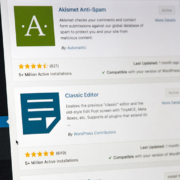
You may have noticed that on your WordPress Dashboard, at the very top of the screen you will see a notice advising you that updates for your plug-ins and WordPress itself are available. Instead of ignoring those, it is critical that you take the time to update them. After all, the notice does say “please”. WordPress often releases updates, sometimes weekly, and so do your plug-ins. The reasons are many. There may be security issues that a plug-in will correct. Alternatively, there may be added functionality that will make your life easier. Whatever the case may be, updates are necessary and should not be neglected?

Why Updating WordPress Plug-Ins Is Important

Security issues are perhaps the number one reason you want to make sure your plug-ins are up to date.  Take a look at live world wide hacking attempts that are going on now.  Developers who create their plug-ins are often working with the code daily and may find issues with the original version. They may have user feedback that shows people are having issues with it. Either way, if taking the few seconds of time, literally, that it takes to update will save you from a hacked website, it is a no-brainer. Also, because WordPress maintenance plugin updates may improve the speed of your website, plug-in updates are critical from a digital marketing perspective. If your site is slow to load, visitors will head directly to your competition. Also, because WordPress updates regularly, the thousands of available plug-ins may have compatibility issues with the new version. You should always be updating WordPress, and your plug-ins to make sure everything is functioning as it should. If it is not, the worst case scenarios include frustrated visitors, or worse, a site crash.

Still Have Excuses not to Worry About WordPress Maintenance Plugin Updates?

It is understandable. Some people simply aren’t comfortable making any changes without professional guidance. Others may want to simply set it and forget it. Alternatively, they want it updated by someone else to free up their time. Fortunately, there is help available. Cohlab offers WordPress Maintenance and Support Services that not only ensure that your CMS and plug-ins are always up-to-date, but also provides other great services including 24/7 security monitoring, secure offsite backups, and many more. These packages are a great way to make sure your website is in tip-top shape at an affordable price far less than what your valuable time is worth. Check out our packages and let Cohlab take the worry and burden off your shoulders.

Wondering how your digital marketing efforts are doing? Use our complimentary Digital Marketing Scorecard to gain valuable insight on how your website rank compares to others. We are also glad to answer any questions you may have and provide Cohlaborative digital marketing solutions to meet your company’s needs.

When Disaster Strikes: Help For Fixing Your Hacked Website

It can happen at any time with very little warning. People often find out it’s happened to them in a number of ways. An angry client may call asking why their computer is telling them your website may be harmful to their computer. A co-worker may send a short email. Or, you may happen to be on your website yourself when you see the awful notice that everyone else who visits your site will see as well, that you’ve been compromised. If you have or ever do find yourself in this situation, you shouldn’t be surprised. In fact, hackers will attack many thousands of websites on a daily basis. In most cases, your site will not look any different, but hackers may be using a broad spectrum of ways to compromise your data and that of your clients.

If you’ve read our blog article entitled, “An Overview of Hacked Websites”, you would have learned the risks and means of having your website hacked. You may also have learned some valuable information on how to prevent an attack from occurring. However, what if your website has been hacked? What are the steps you can take to correct the situation with as little harm and headache is possible? In this article, we will cover the steps to help fix your hacked website.

Google’s Advice for Fixing Your Hacked Website

The Initial Step

The first step is to contact the host of your website. By letting them know as soon as possible, they can verify that no other sites they host have been hit, and also can help recover your site in some cases. Even if they are unable to help recover it, they may be able to help steer you in the right direction as to whether or not a professional is needed. Building a support team is important, and your host will be the first outside member you should include.

Taking Action

Like when a person has a bad virus, a quarantine is often set up to prevent the hackers from causing further harm. The same is true for your site. It is important to prevent your server from allowing pages to be viewed by users. In other words, simply shut it down. This may not be as harmful to some companies as others who operate solely from their website, but in either case it is critical to close the site so things cannot get worse.

From here, its important that you contact Google Webmasters to verify that you are the site owner and also to make sure the hacker has not already verified themselves and changed any settings with your analytics. Finally, Google Webmasters is also able to help determine the nature of the attack and give clues as to how you can resolve it.

Recovery

This next step can be a bit more difficult for the novice and will most likely be the place that most small businesses will most likely need professional assistance. The basic idea is that the owner should examine all site files and settings and verify which have been affected. From there, the goal is to determine the hacker’s main intent for the breach. You will be searching for any included code, page modifications, and other similar details.

Once the examination is complete and you’ve listed everything that is abnormal, you will need to determine the vulnerability that allowed the site to be hacked in the first place. It is important to examine the entire site even if a vulnerability is caused. It could be in fact that you have more than one vulnerability that requires attention. This may include a virus on the main computer of the administrator, weak passwords, software that is out of date, and other such weak points.

Hacked Website Cleanup

When all of these steps are completed and you have all the background information required it is time to clean your site and maintain its security for the future. The goal is to remove anything that is bad and replace it with good. Any vulnerabilities should be fully addressed and a plan should be created and implemented to help prevent any future attacks from occurring.

The final step which will return your site to a fully functioning and warning free site is to request an official review by Google. Review the steps you’ve taken and make sure that nothing was missed. Submit a review request an Google will examine your site and will either give you an approval, removing any warnings to visitors, or require you to re-review your steps and see what may have slipped by. Being hacked is not a fun process. There are ways to help prevent it, but no site is immune.

Download our Top 10 Ways to Protect and Restore your Website for more in-depth information.

Wondering how you are doing? Use our complimentary Digital Marketing Scorecard to gain valuable insight on how your website rank compares to others. We are also glad to answer any questions you may have and provide Cohlaborative digital marketing solutions to meet your company’s needs.

5 Spring Cleaning Tips for Your Websites You Can Use All Year Long

After months of cold temperatures and gray skies, the thermometer is finally beginning to rise and the sun is once again showing its cheerful face. As we recover from our annual bout of cabin fever and begin to feel the energy and motivation that spring often brings, we often look for ways to do some much needed spring cleaning. However one thing many people miss is the spring cleaning that may be needed on their website. Just like our houses and cars, after a time they need a little freshening up, and spring is a wonderful time to make it happen. Here are the top 5 tips to give your website a spring makeover.

# 1 – Scrub Your Website Content:

Content is the lifeblood of your website and is one of your websites most important attributes. It is a key component that will generate traffic and increase the amount of time people are interacting with your brand. If you have older content that should stay on your site, consider freshening it up with a new structure. Perhaps change the titles to something a bit more interesting, or include updated statistics and information. Also, make sure there are no broken links. Another project could be to add links within content that is the least visited to help traffic. Or, simply add content that is fresh and relevant to provide something new to drive people to your site.

# 2 – Sweep Your Website Design:

If your website is looking a little tired and outdated, it may be time for a bit of design rehabilitation. This type of website spring cleaning may require a bit more thought and effort, but it can be invaluable to your digital marketing efforts. Imagine yourself as a visitor to your own site and think about if the information seems well organized. Are the pages are easy to navigate? Consider the message your website is providing visitors, and determine if there are any small adjustments you can make so it is more inviting and interesting.

# 3 – Dust Your Details:

It’s often the little details that people notice about your website that seem the most unprofessional. Check out things like your copyright date in the footer, the events on your calendar page, the staff on your about us page, or the contact information. Make sure everything is current. You might also want to read through your content, or have another set of eyes do it to find any grammar or punctuation issues.

# 4 – Tidy Up Your Website Calls to Action:

Websites serve many purposes. One is for marketing and brand recognition, but another is to prompt people to take action. To really move people to take the action you are shooting for, spend some time thinking about how well your call to actions are crafted. Make sure they are very clear and easy to find. Think about if they are easily shared to social media. If you have been wondering why your call to action is ineffective, it may be it just needs a ten-minute tidy.

# 5 – Shake Out Your Website SEO:

Search Engine Optimization is pretty important, that is if you hope people will find your website. It’s a good idea to take some time to review your SEO and make sure it is clean and polished. First take a peek at your analytics and use it to determine your best traffic drivers, and also any errors that visitors may be running into. Also important, think about how you are using social media. Add links to share content on your various platforms. Consider doing some guest blogs. Review your personal and professional contacts and think about who may benefit from your content. In short, seek out new ways to drive traffic and expand your traffic sources.

Make Your Website Shine Year Round

It’s always refreshing to spend some time doing a little spring cleaning. And while the warmth and brightness of spring is a good reminder to do a little freshening up, the truth is that these same tips to tidy up your website are great things to consider any time of the year. Efforts you make with your web presence today can bring excellent advantages for a long time to come.

Wondering how you are doing? Use our complimentary Digital Marketing Scorecard to gain valuable insight on how your website rank compares to others. We’re also glad to answer any questions you may have and provide Cohlaborative digital marketing solutions to meet your company’s needs.


3 Tips to Get the Most from URL Shorteners | Cohlab Digital Marketing

URL shortening is not new; in fact it has been around for many years. And while some may argue reasons why a small business should not use them, they can’t argue that there are some truly great benefits on the pro side. A URL shortener is a service that takes a long and messy looking URL and shortens it into a small and clean looking address. While this in itself can provide some obvious benefits, there are ways a small business can take the use of a URL shortener to the next level. Here are three important tips to get the most out of your URL shorteners.

What URL Shorteners Should I Use?

We recommend two URL shortening services for small business applications. The first is Google’s own Goo.gl. There are several benefits to using Goo.gl. First, people trust Google. Because a shortened URL provides little detail on what it points to, some can be leery. Knowing that Google is behind it and that they remove short URL’s used in spamming, they may not think twice. Also, Goo.gl offers some great analytics tools and is also fabulously easy to use.

Another great service is called Bit.ly. Like Goo.gl, Bit.ly is also a powerful analytic tracker with a full functioning dashboard to make things very easy and understandable. Also with Bit.ly, you are able to create branded short domains so that your short links are clearly recognized as coming from your company. Whichever platform you choose, it’s always good to use your short links wisely to get the most out of them.

Pay attention to your analytics

One of the best uses for shortened URL’s is the ability to better analyze your statistics. This is especially true for your social media. In fact with Bit.ly, you can even have a different short link for Facebook, Twitter, and LinkedIn that points to the same content, and find which social media platform performs better. It can provide invaluable information about your audience and make your marketing efforts significantly more effective.

Use them in unique ways

Shortened URL’s are great for online marketing. Just don’t overlook ways in which they could be useful for traditional marketing as well. A great example would be to use alternate short links on different marketing materials to see which garner the most response. They are also great for things like billboards or signs so you can match specific content with an easy to remember address. Using a little creativity can make them go a long way for you.

Target Your Marketing

Shortened URL’s make it exceptionally easy to track click-through rates, and even determine in which areas you are finding the most response. This helps you to segment your audience and target the right people based on how they interact with your brand.

Use our complimentary Digital Marketing Scorecard to gain valuable insight on how your digital marketing efforts compare with others. We’re also glad to answer any questions you may have and provide Cohlaborative digital marketing solutions to meet your company’s needs.